01
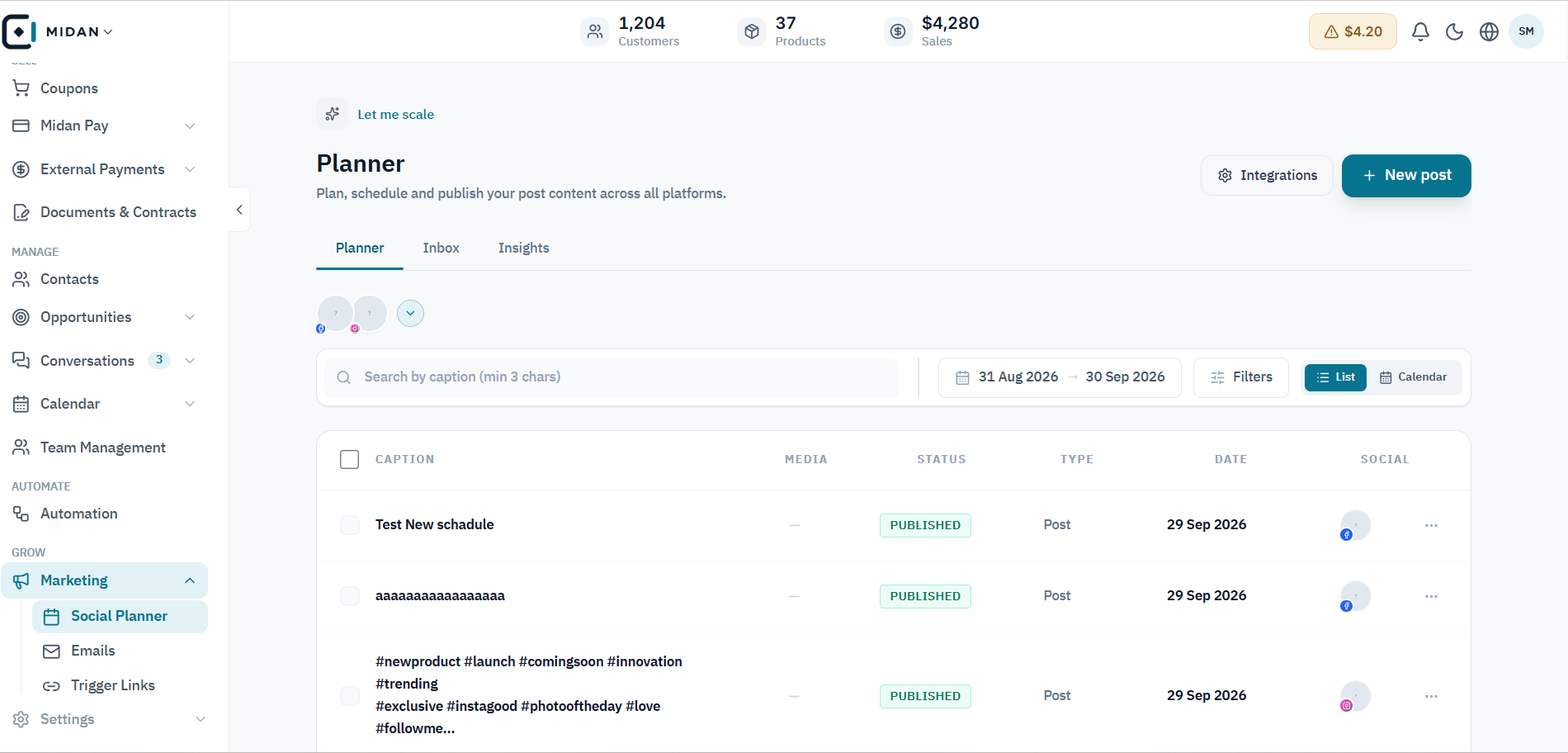
Review scheduled and published posts
Scan posts by caption, channel, status, and date to see what is ready to publish and what has already gone live.
 YOUR BUSINESS ARENA
Use the Social Planner to plan and schedule posts across social accounts, create email campaigns, reply to comments, and connect clicks to customer actions.
Try Midan free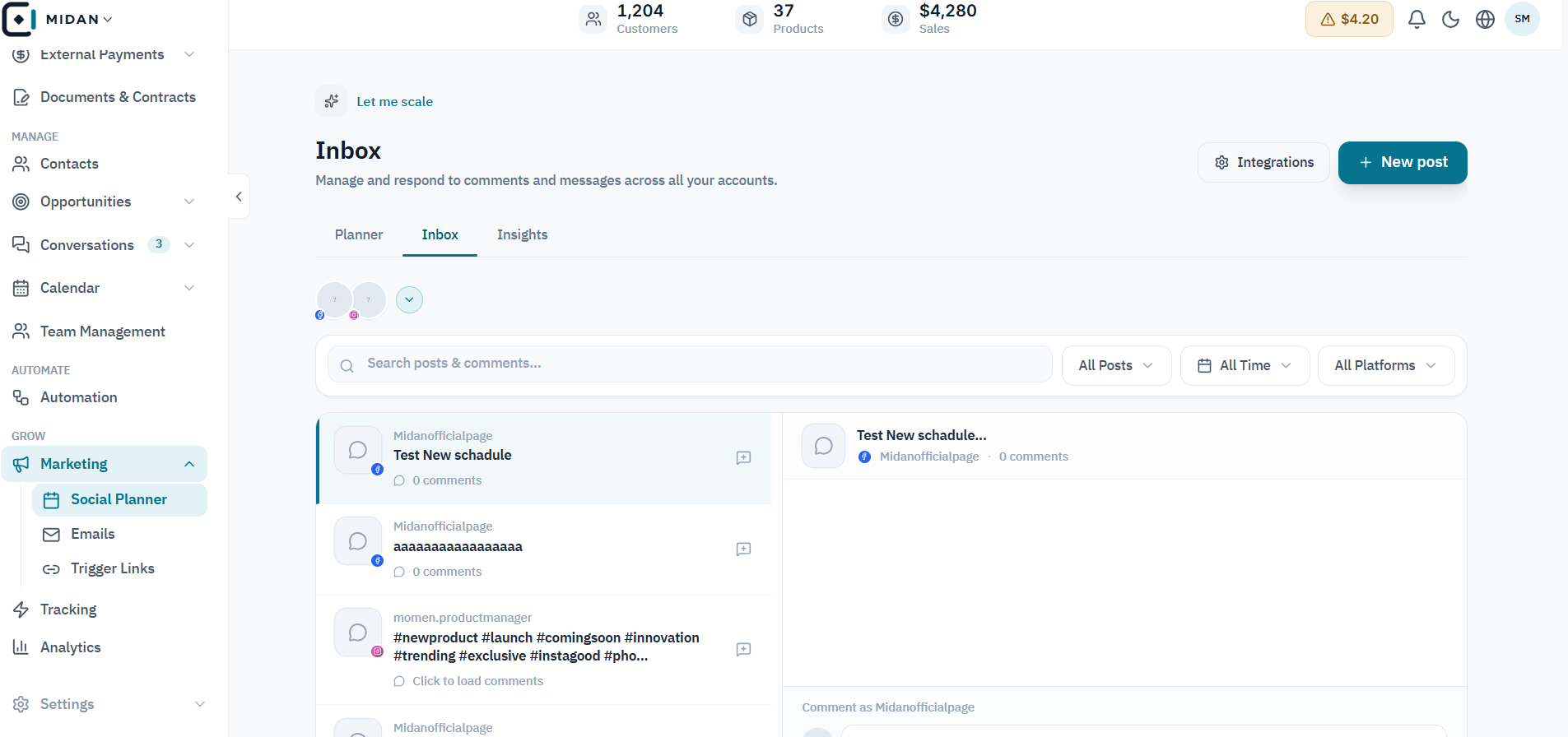
Drag-and-drop email design or HTML/CSS mode.
Plan and schedule multiple social accounts with the Social Planner.
Connect every campaign to trackable links and customer actions.
Explore the Social Planner, campaign setup and email tools, then see how Trigger Links connect each click to a measurable next action.
Scan posts by caption, channel, status, and date to see what is ready to publish and what has already gone live.
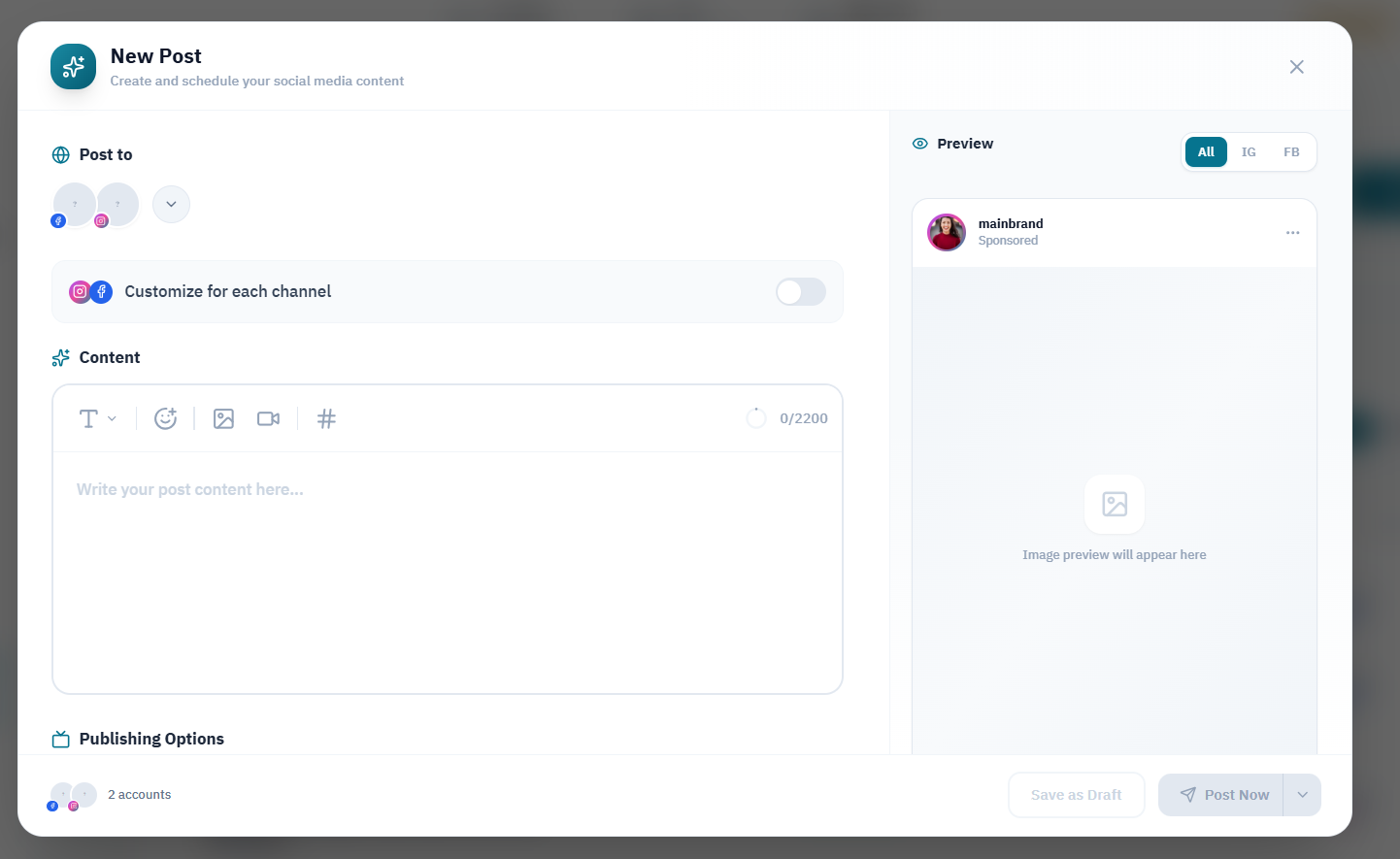
Write the post, choose its social accounts, check the channel preview, and set the publishing options in one composer.
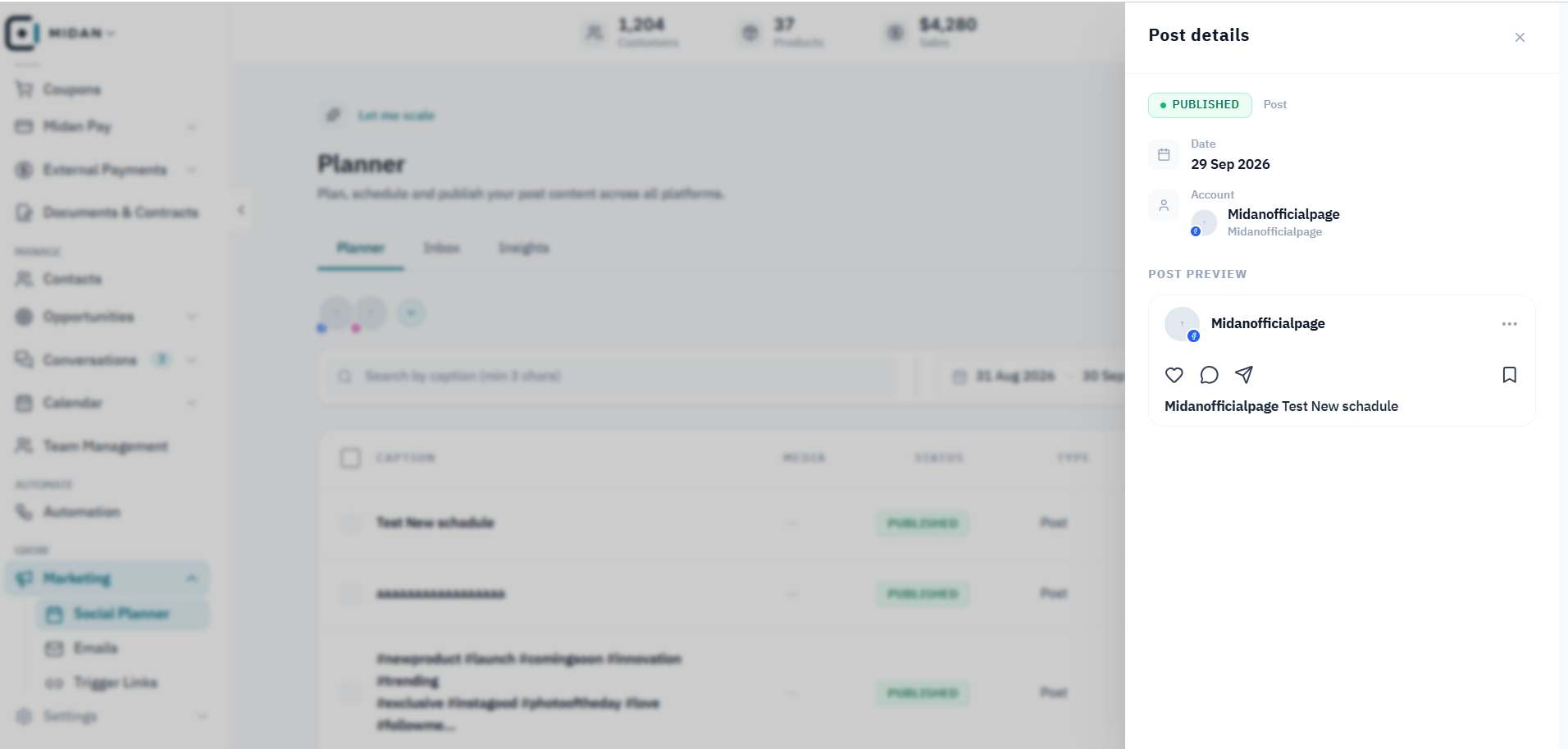
Check the publication status, date, connected account, and post preview from its details panel.
Review incoming comments and messages, choose a conversation, and keep its context visible while responding.
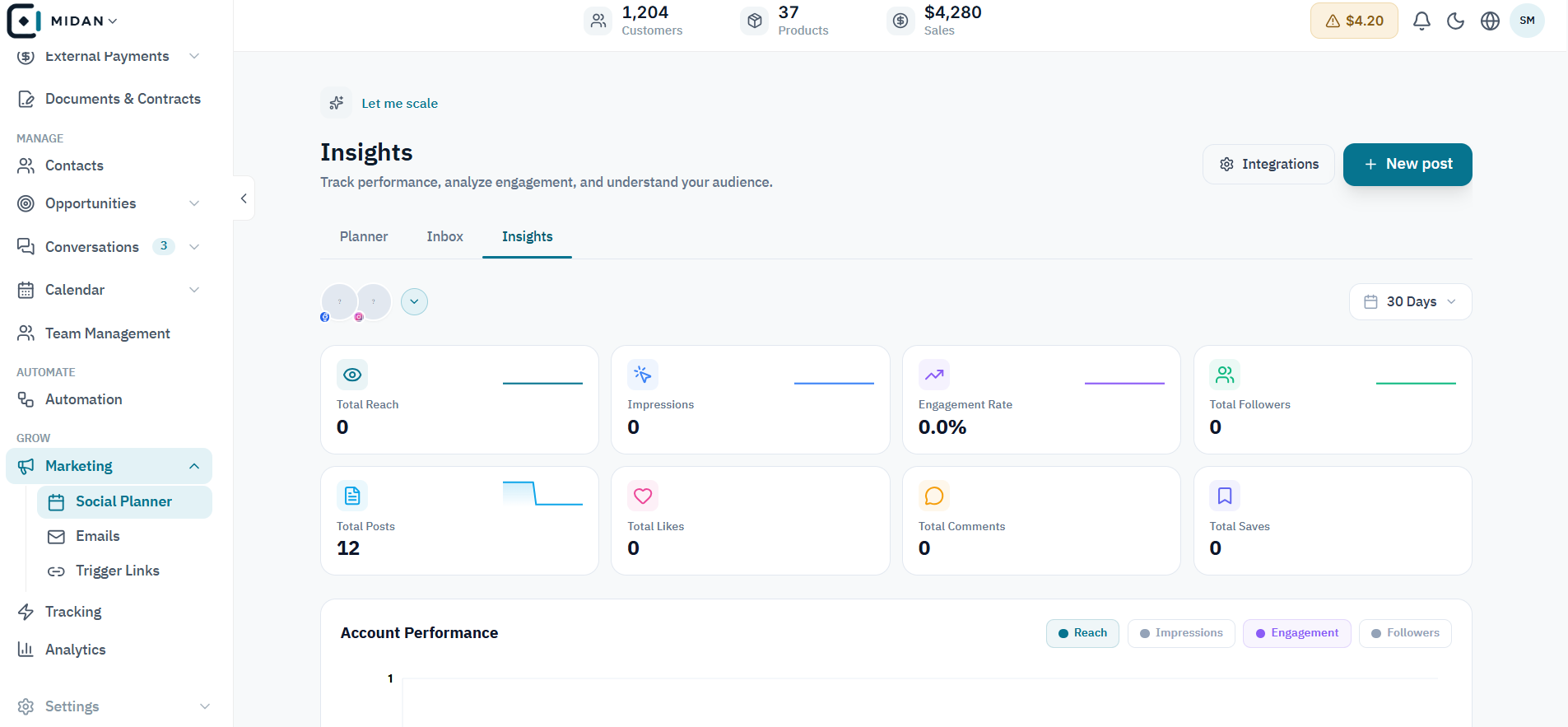
Track reach, impressions, engagement, followers, and post activity from the Social Planner insights view.
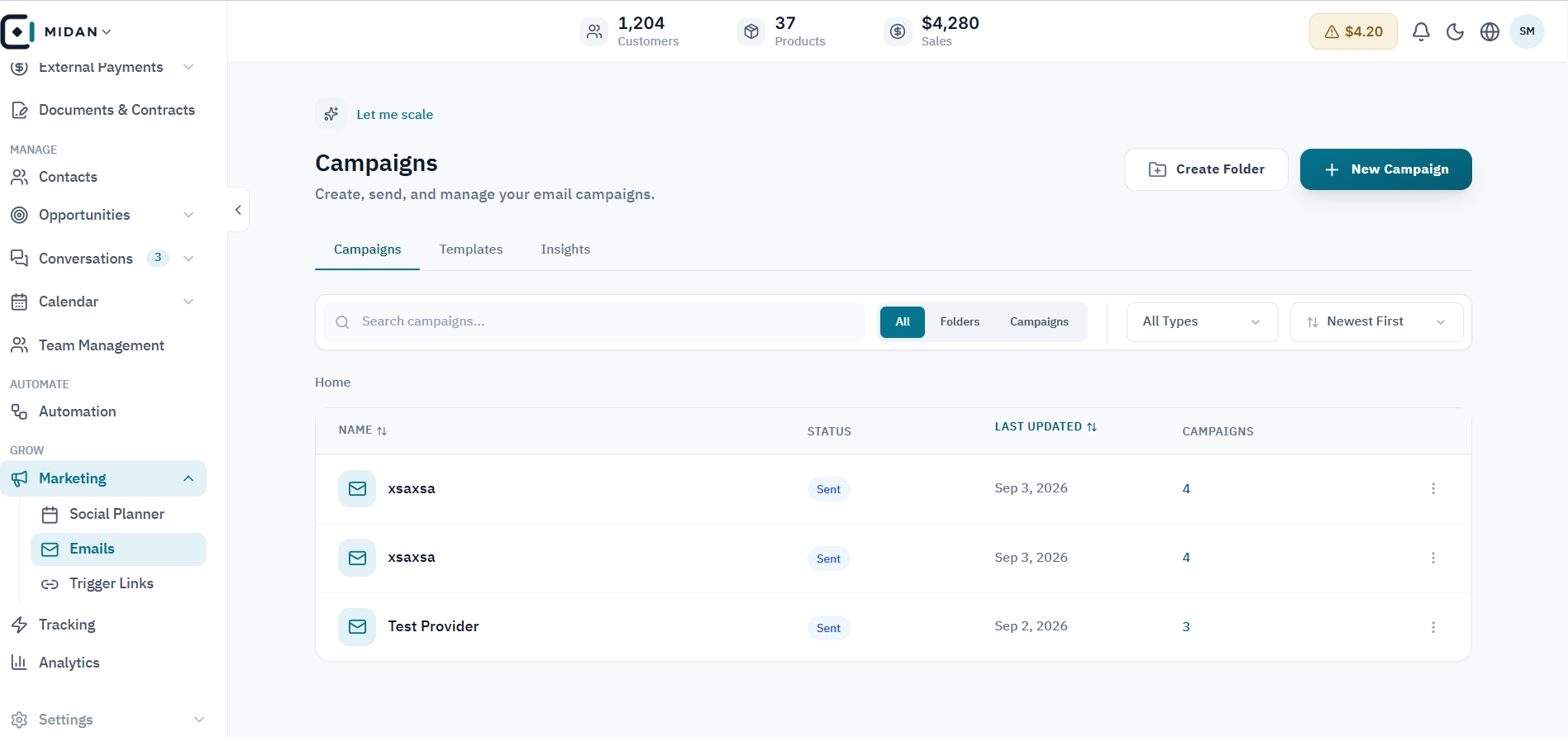
Review campaign status, recent updates, and audience size from the campaign workspace.
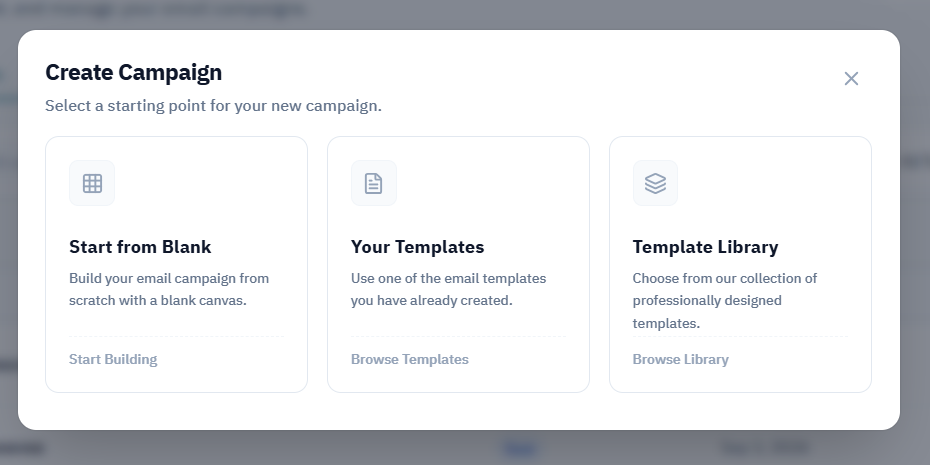
Start from a blank campaign, reuse an existing email, or choose a template from the library.
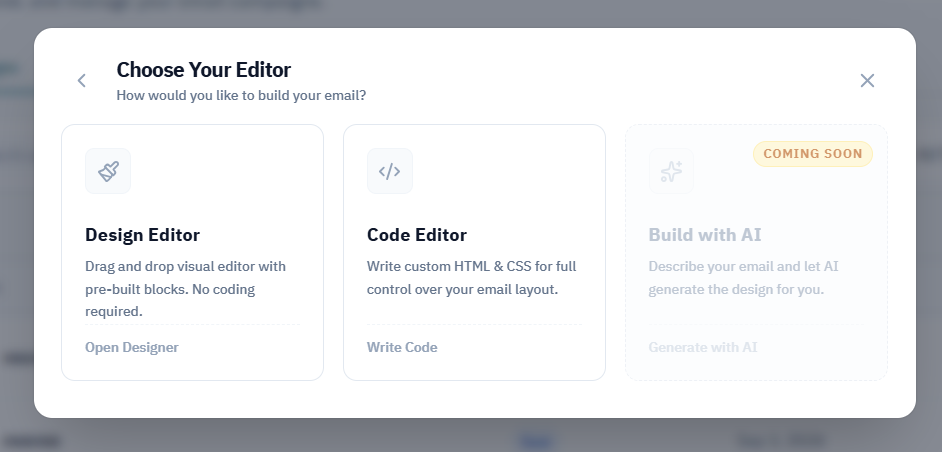
Use the visual Design Editor or work directly with HTML and CSS in the Code Editor; the AI option is marked as coming soon.
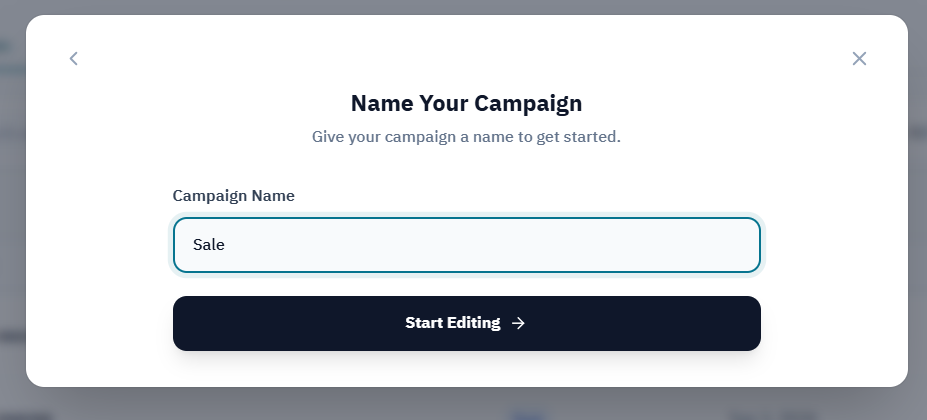
Give the campaign a clear working name, then continue into the email editor.
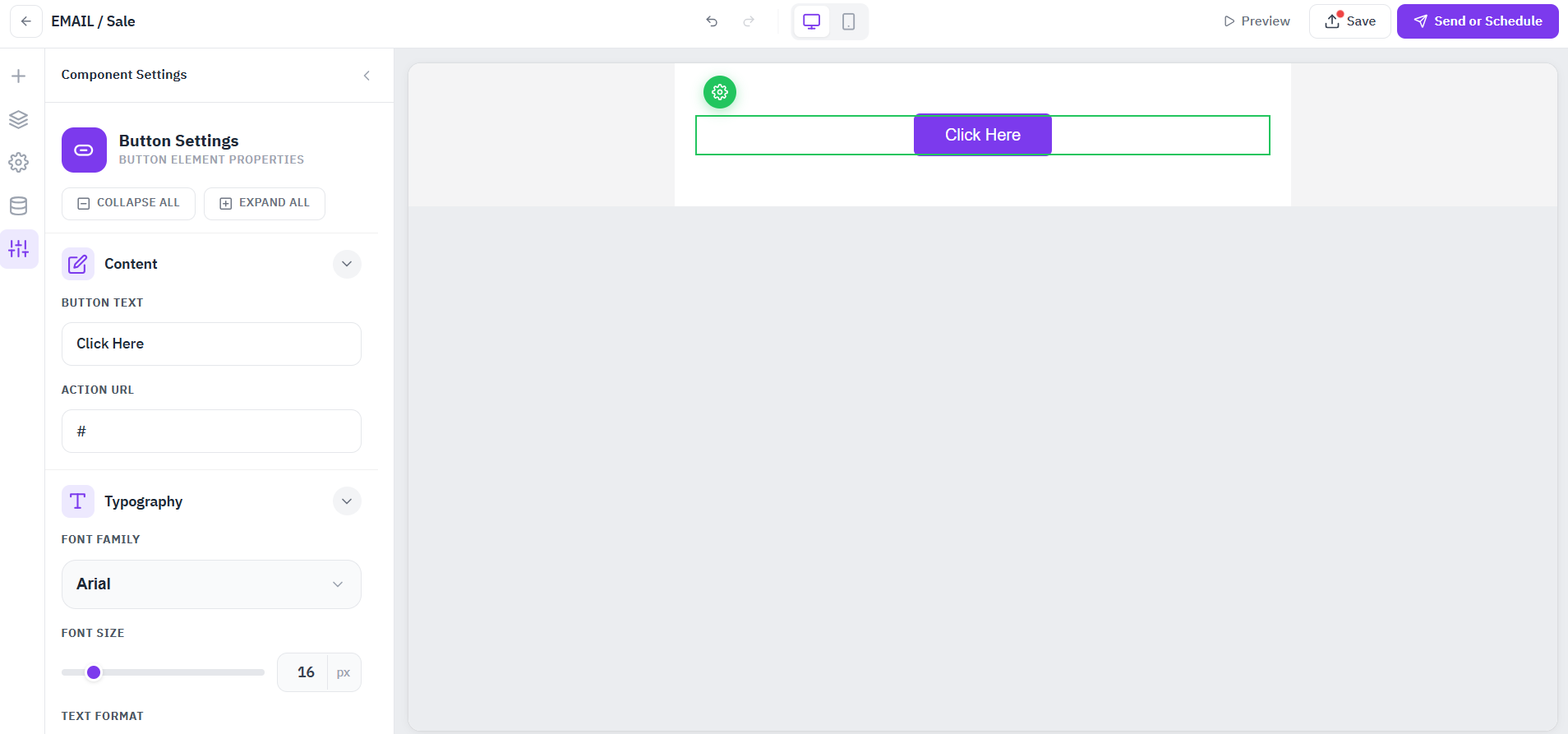
Edit email sections, call-to-action content, and typography from a visual workspace before scheduling the campaign.
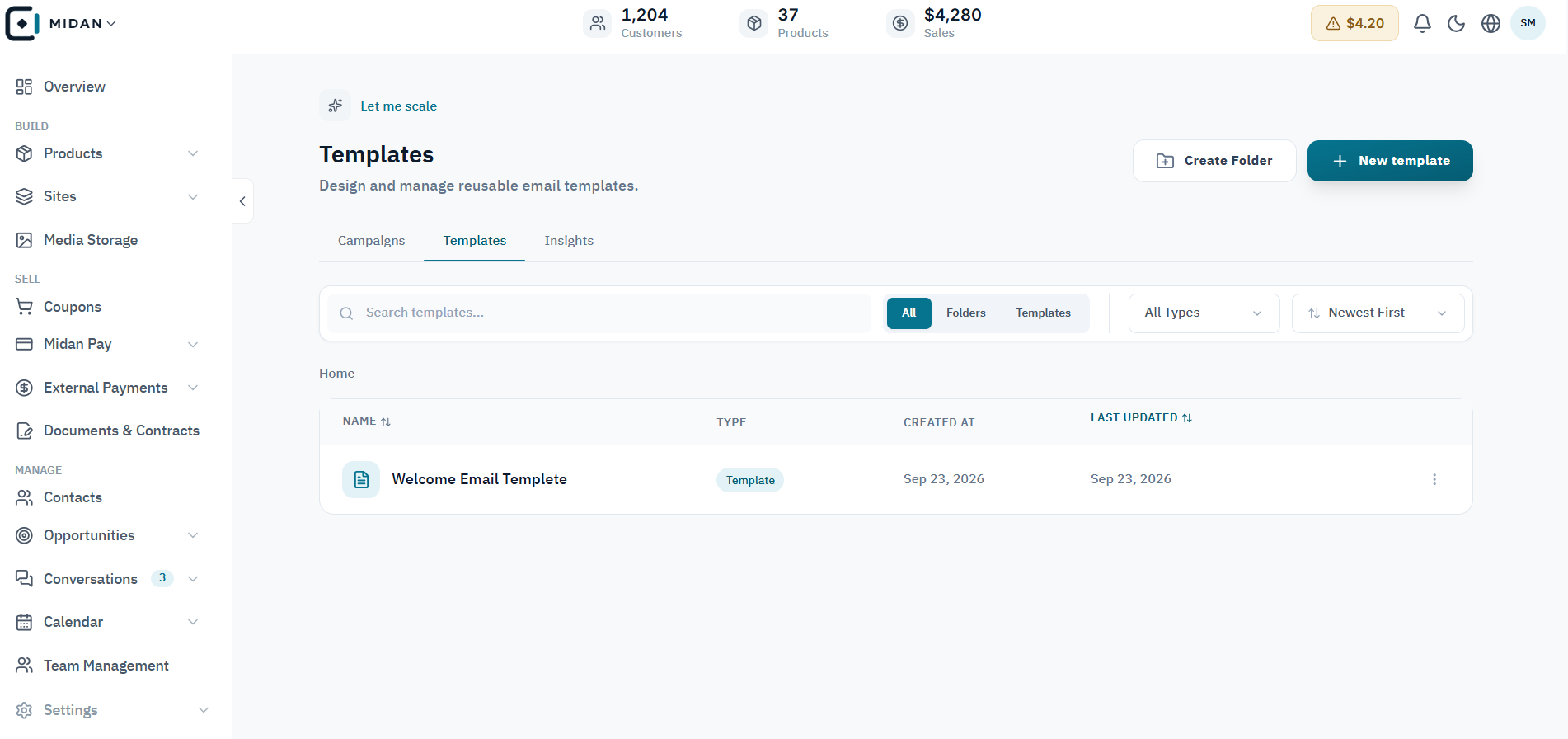
Browse saved templates and return to campaigns or insights without leaving the email workspace.
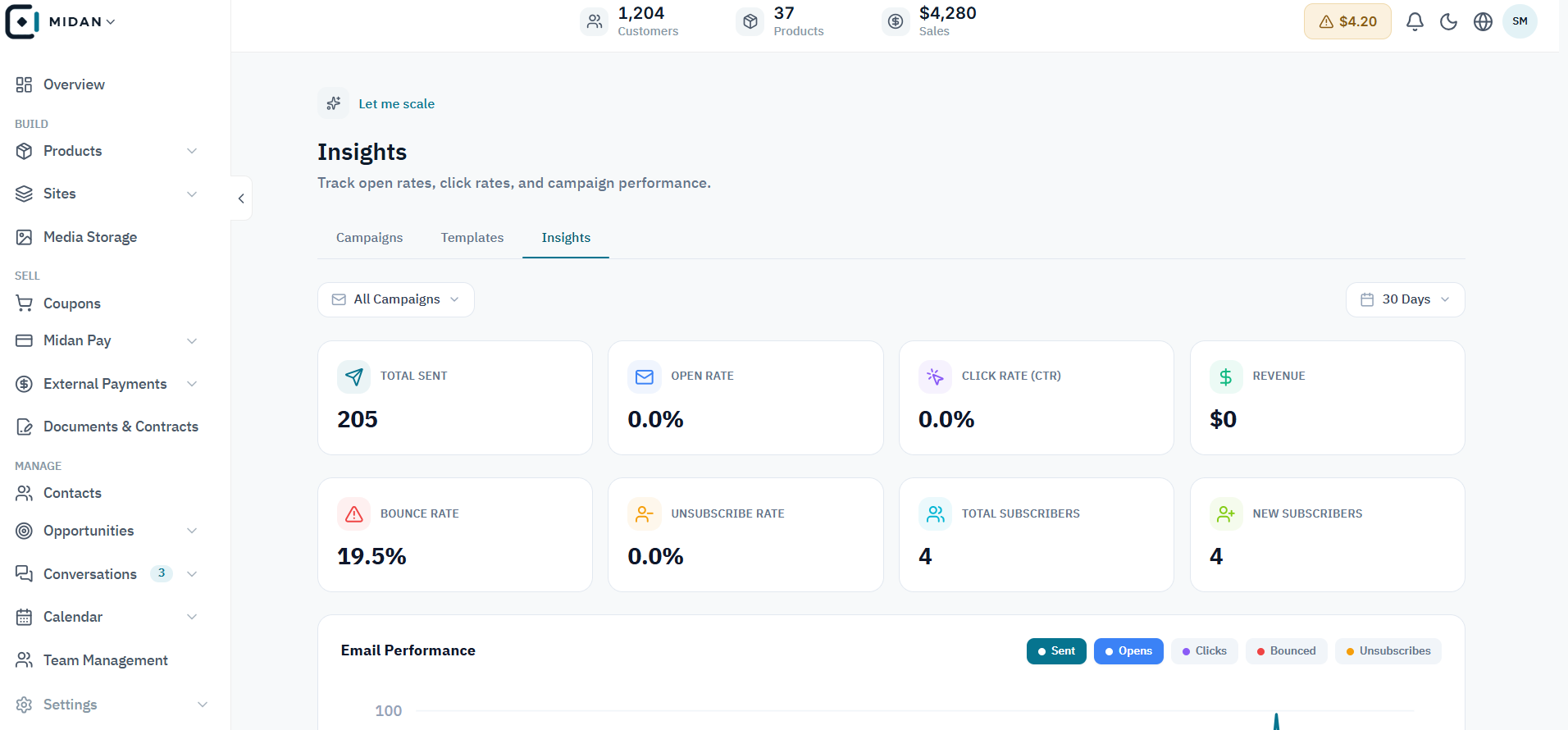
Compare delivery, opens, clicks, and engagement signals in the campaign insights view.
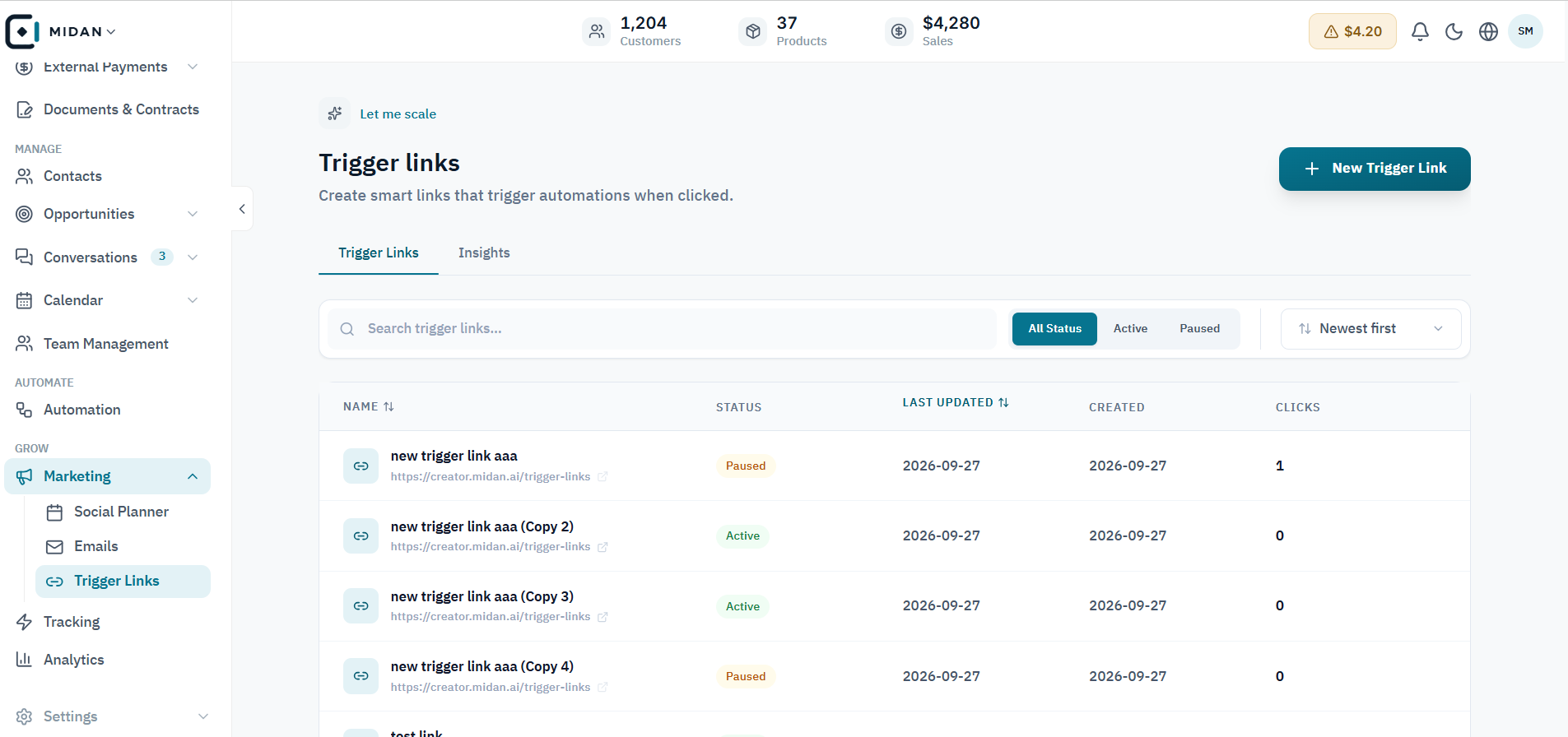
See each link's status, latest update, and click count from one list.
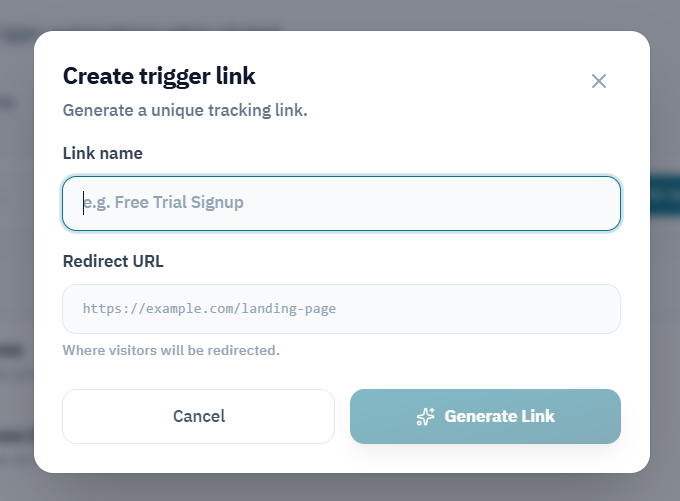
Name the link and choose its destination URL before generating a unique tracking link.
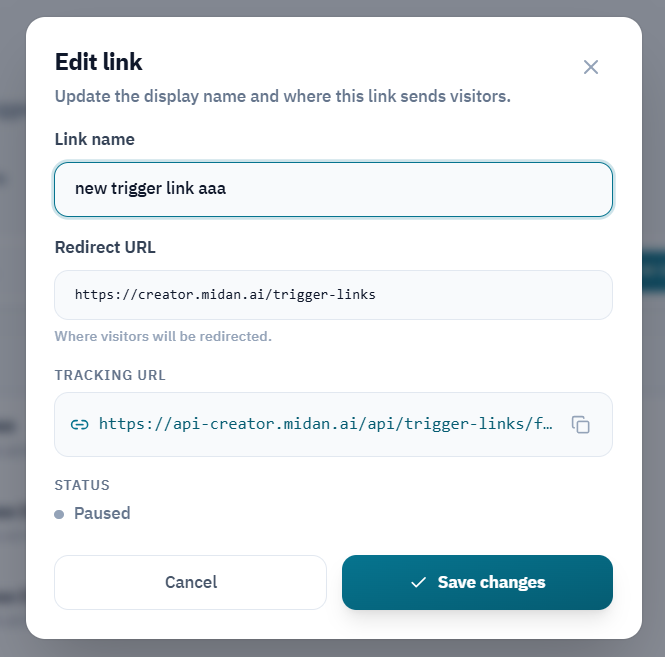
Edit the link name or redirect destination, review its tracking URL, and save the updated settings.
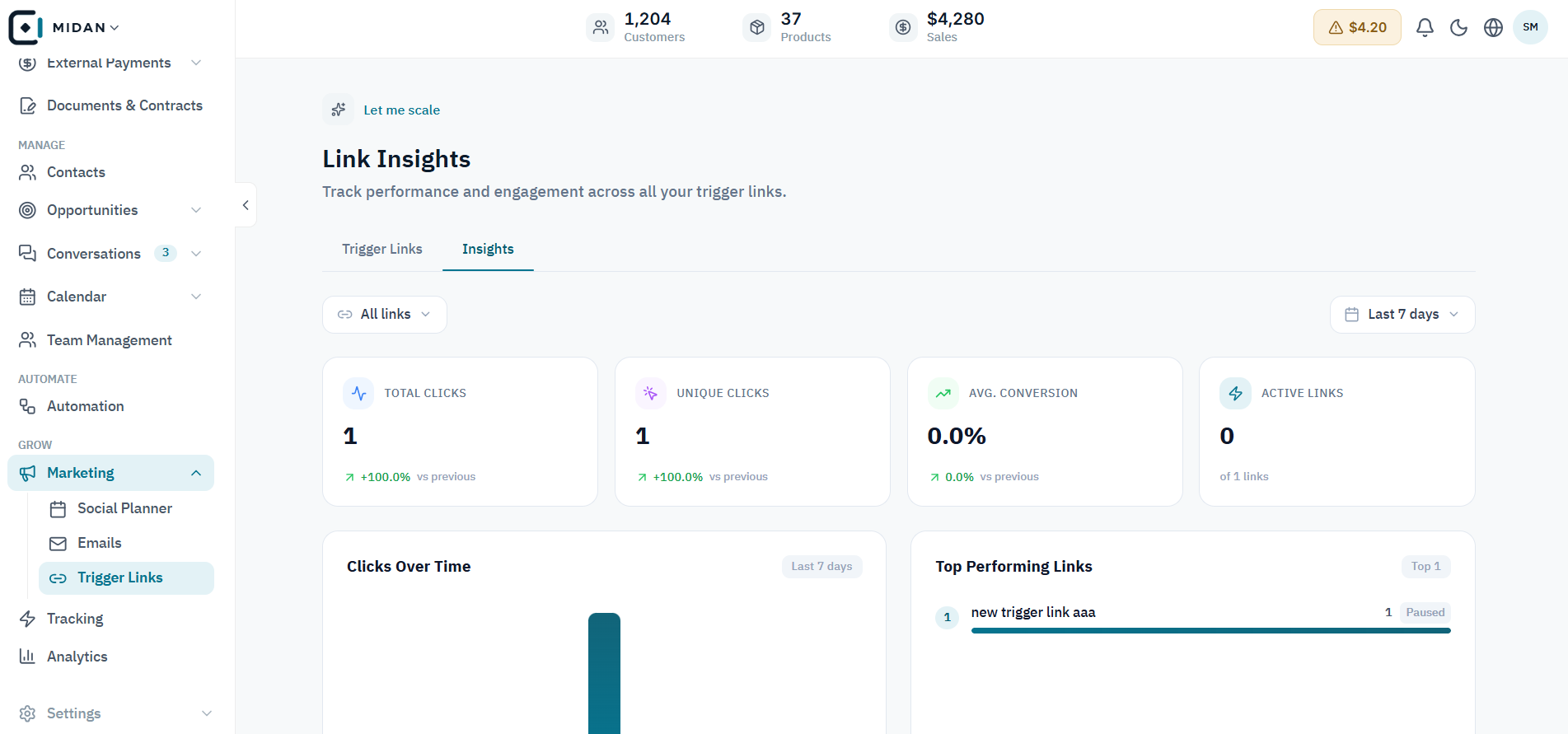
Compare click activity over time and identify the links receiving the most attention.
Tell us how your business works today. We’ll show you where Midan fits.