01
Review scheduled bookings in one view
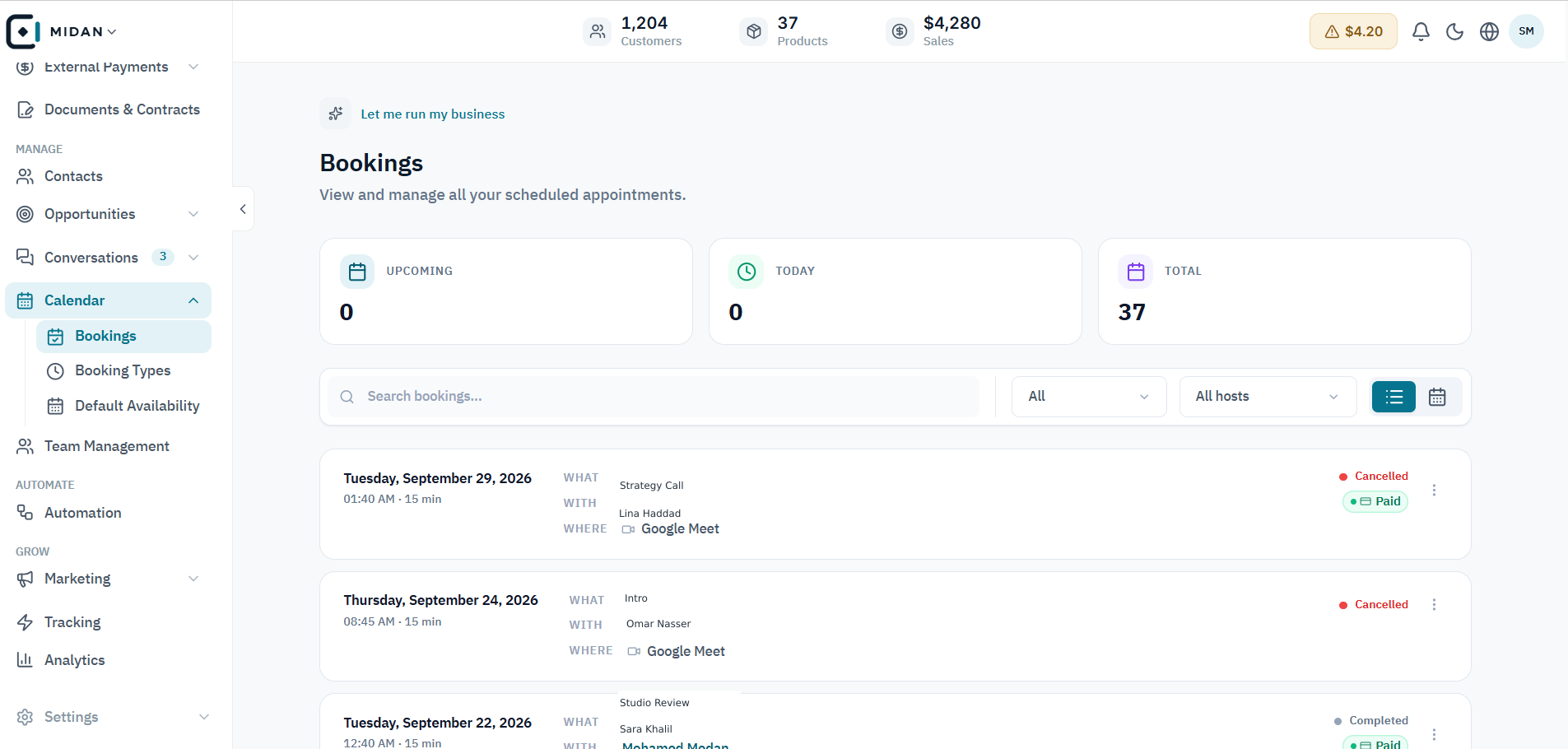
See upcoming and total bookings, search the list, and check each appointment’s host, time, and status.
 YOUR BUSINESS ARENA
Manage bookings, booking types, team availability, time zones, meeting links, and paid appointments from one calendar workspace.
Try Midan free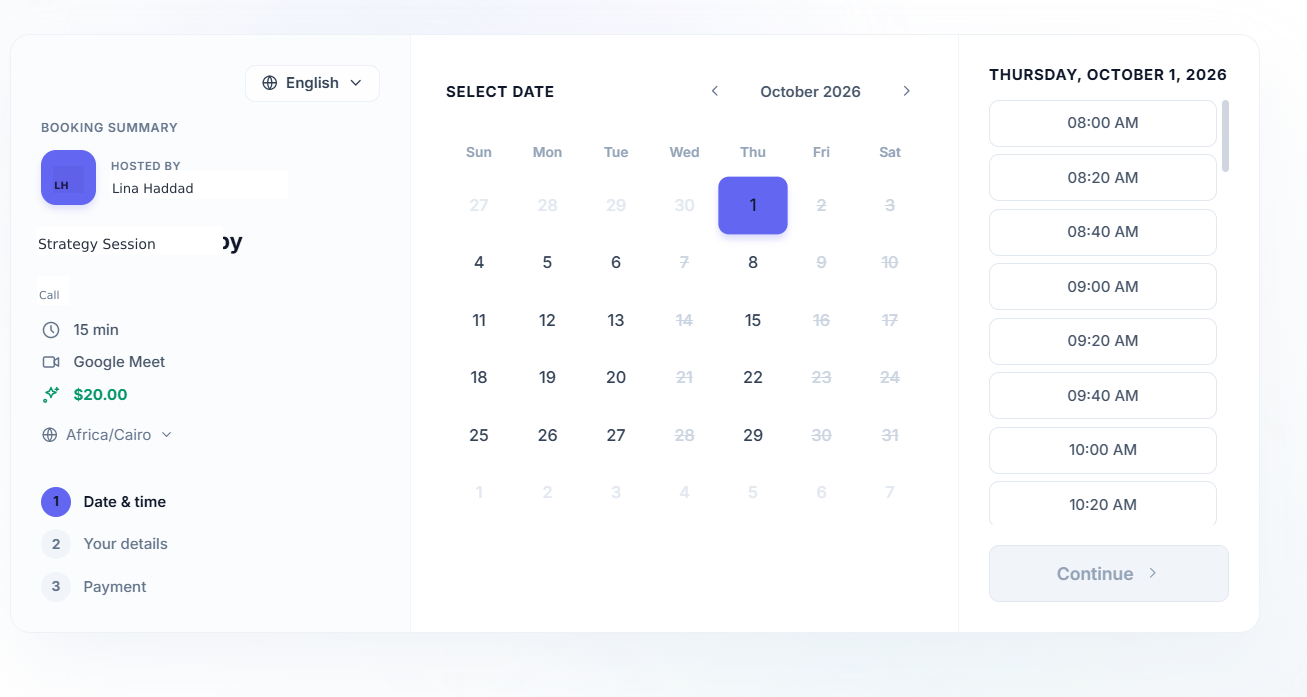
See upcoming, today’s, and total bookings in one view, with host, time, meeting link, and payment status visible.
Create booking types with their own duration, host, availability, and booking link.
Set default availability by team member, time zone, and weekly working hours.
Keep booking pages and reminders connected to the same customer journey.
Explore appointment management, booking type setup, default team availability, and the customer booking flow.
See upcoming and total bookings, search the list, and check each appointment’s host, time, and status.
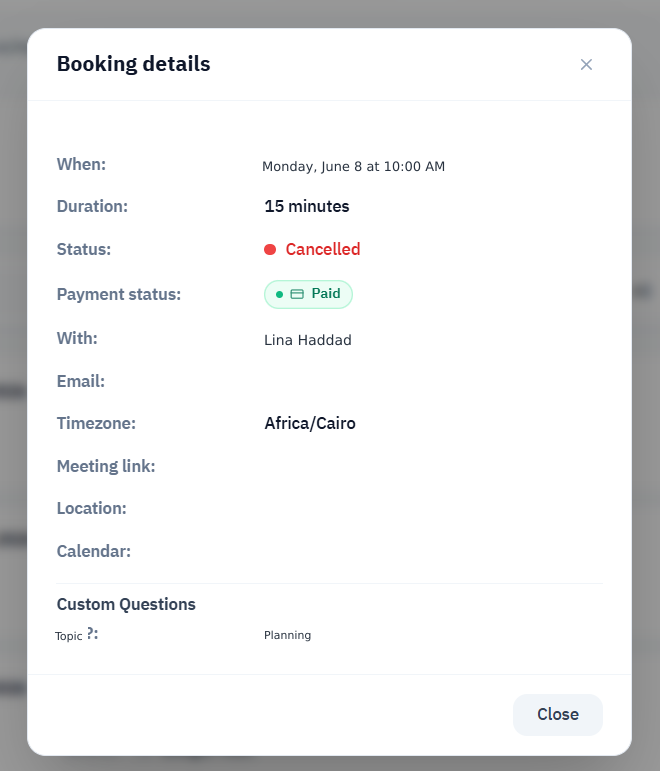
Review the appointment time, duration, attendee, time zone, meeting location, payment status, and custom answers.
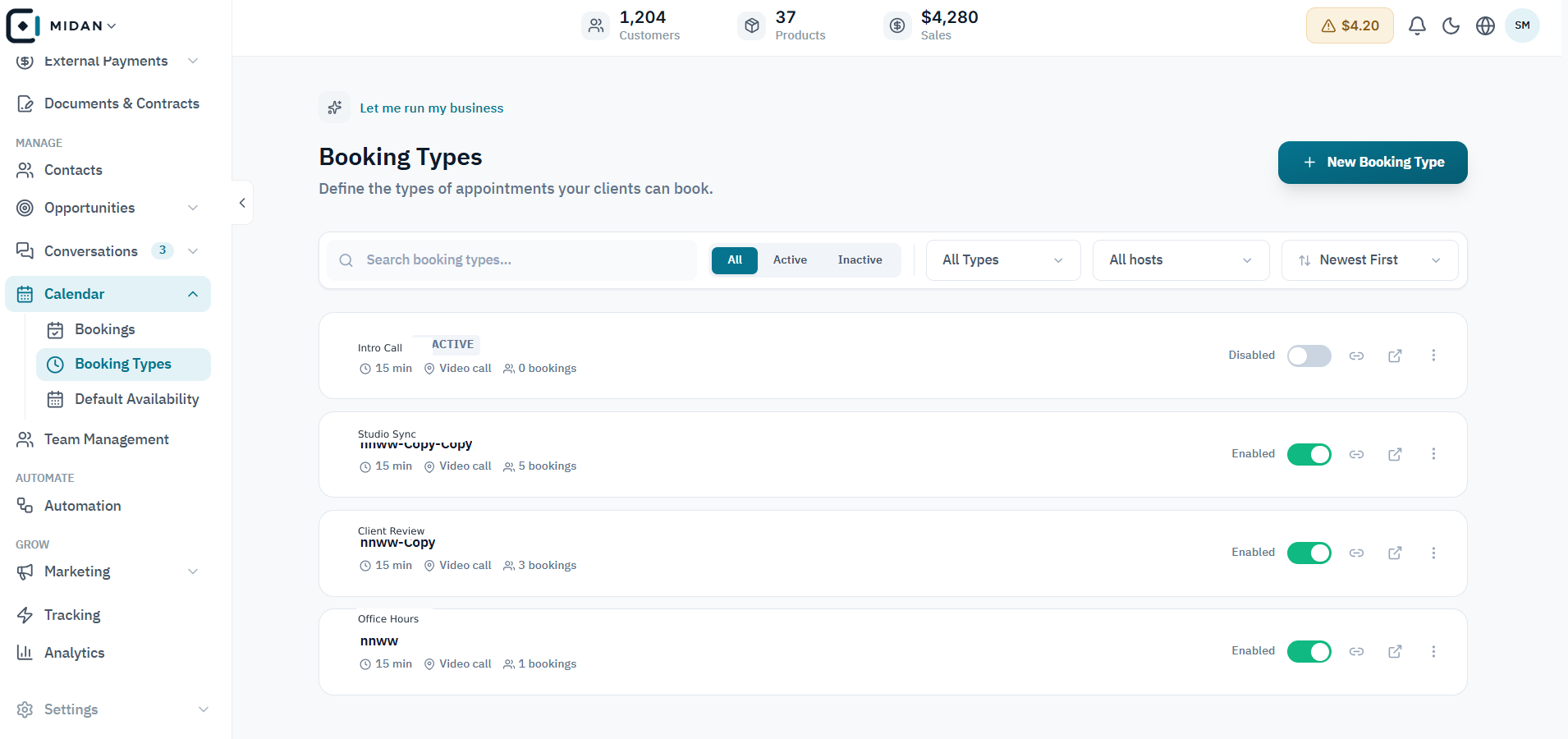
Review each booking type’s duration, booking count, and active status, then open the type you want to update.
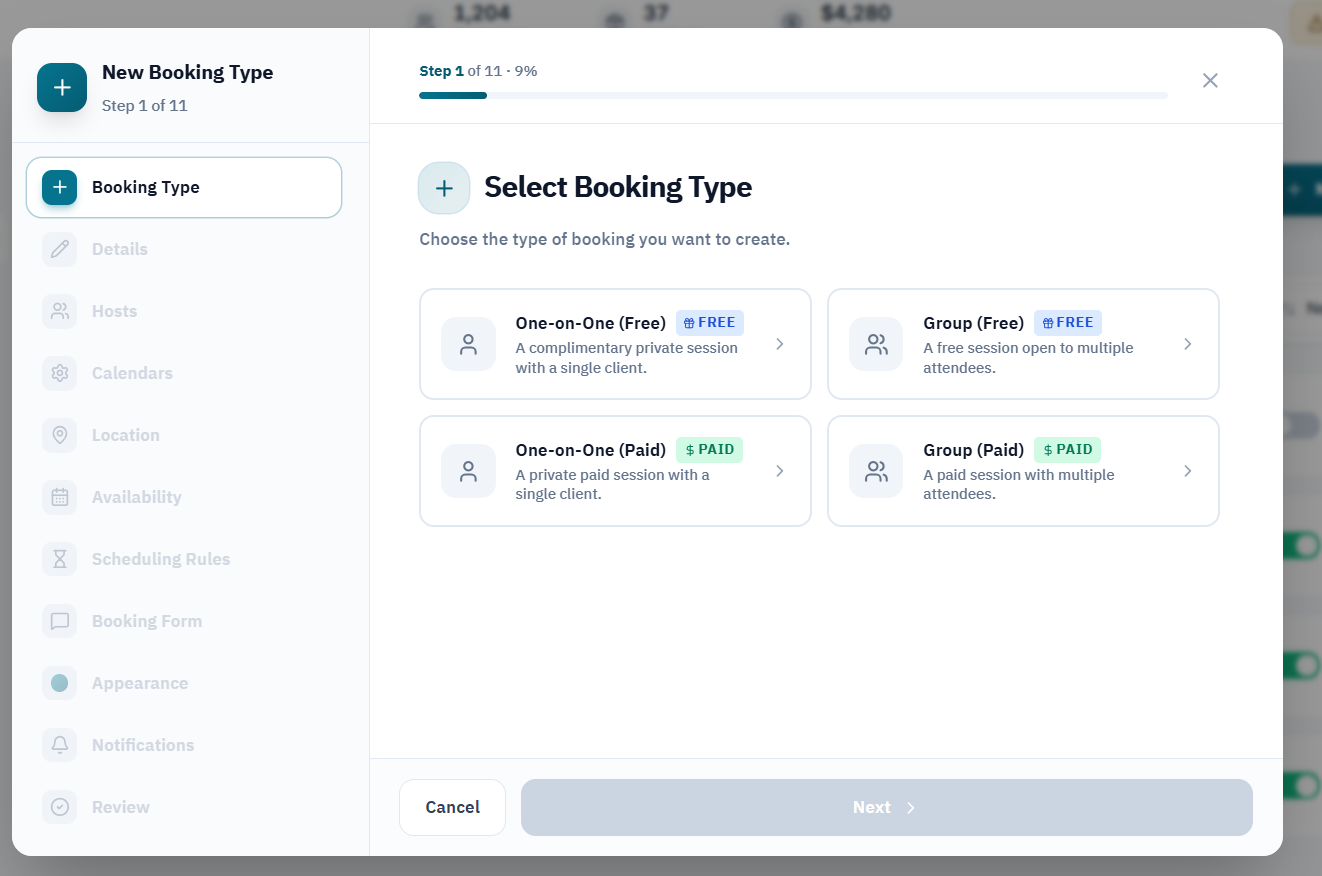
Start with a free or paid appointment, then choose one-to-one or group booking for the service.
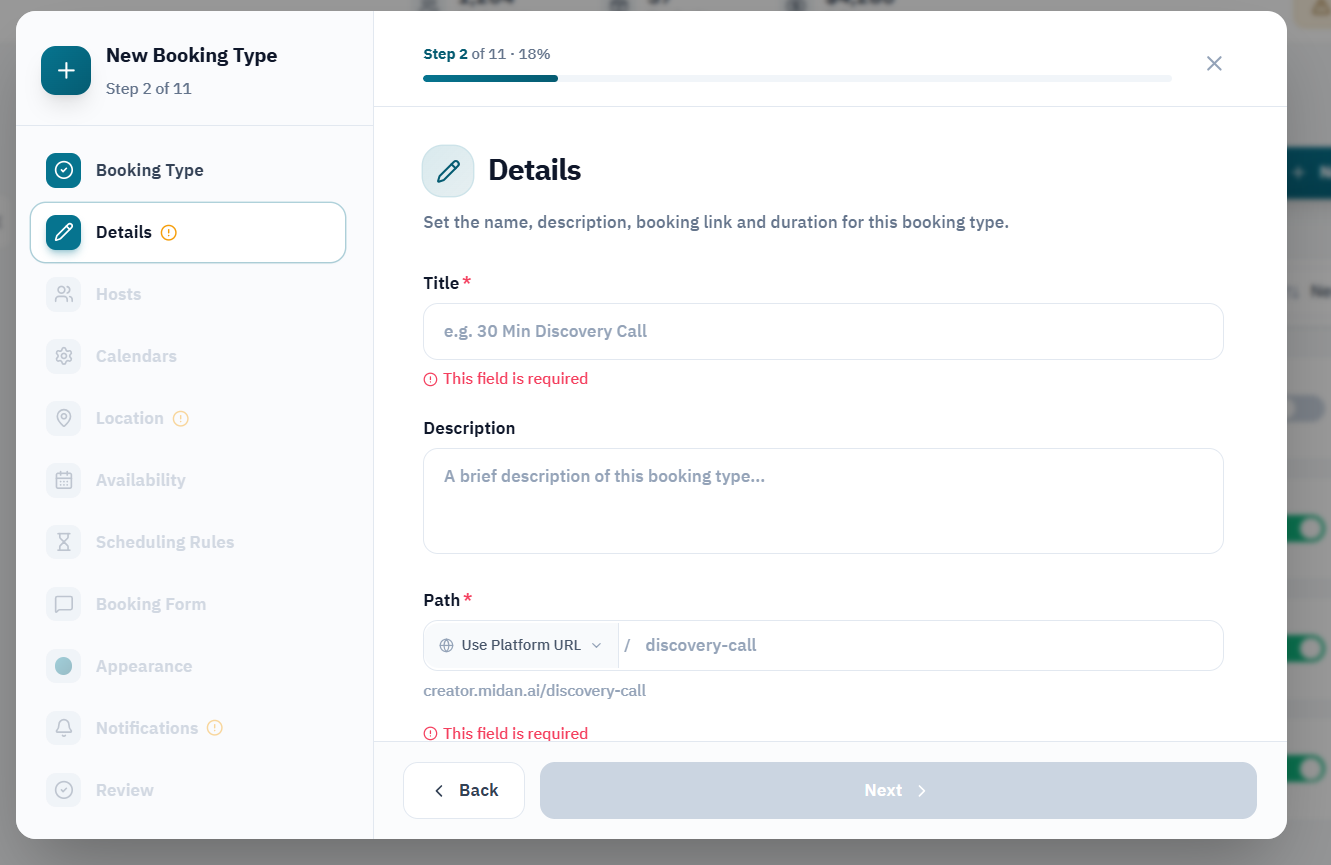
Add a clear name, description, and booking URL before continuing with the setup.
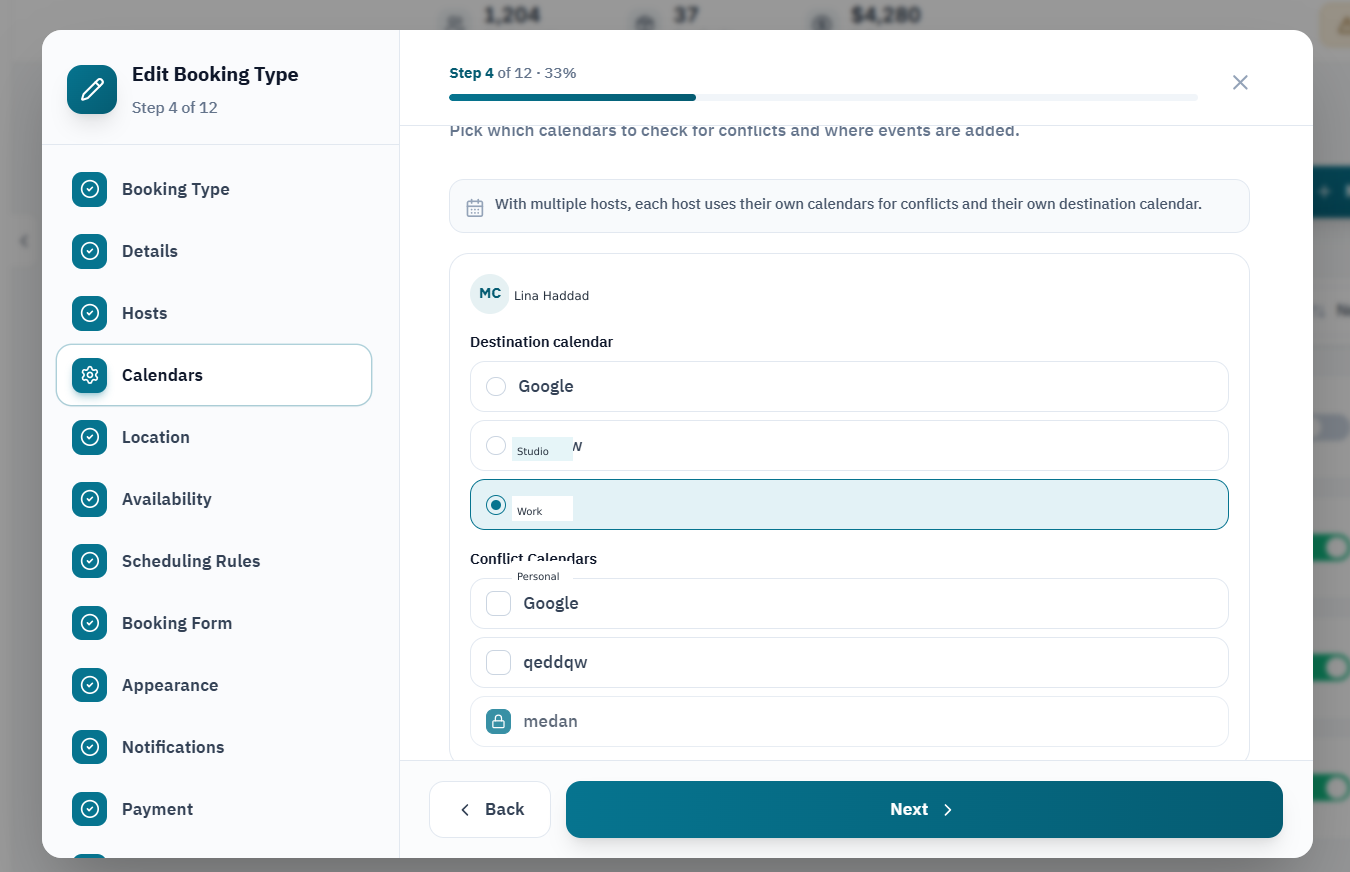
Select where new events are added and which calendars are checked to avoid overlapping appointments.
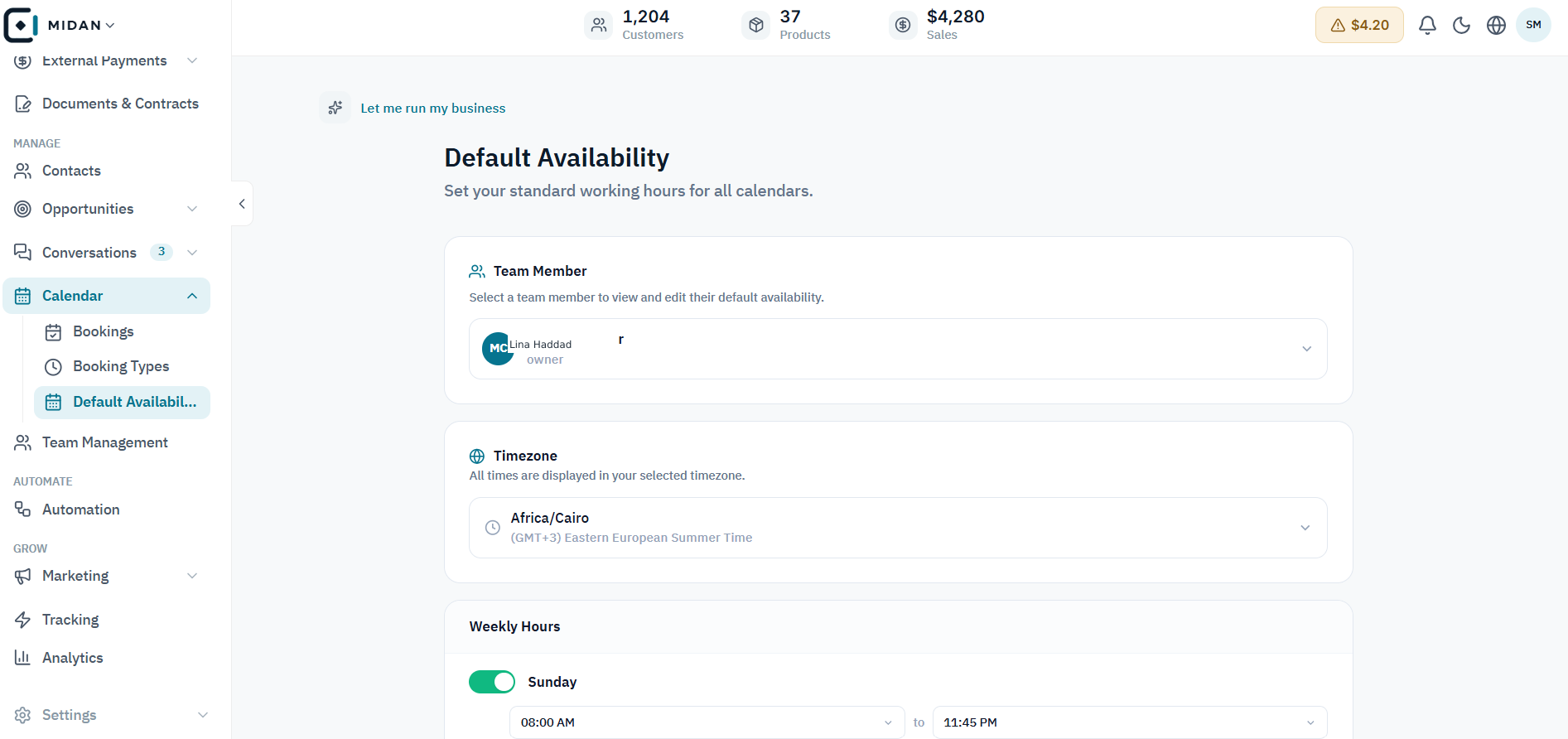
Choose the team member, time zone, and weekly hours that determine when appointments can be booked.
Show open dates and available time slots before a customer enters their details or confirms a booking.
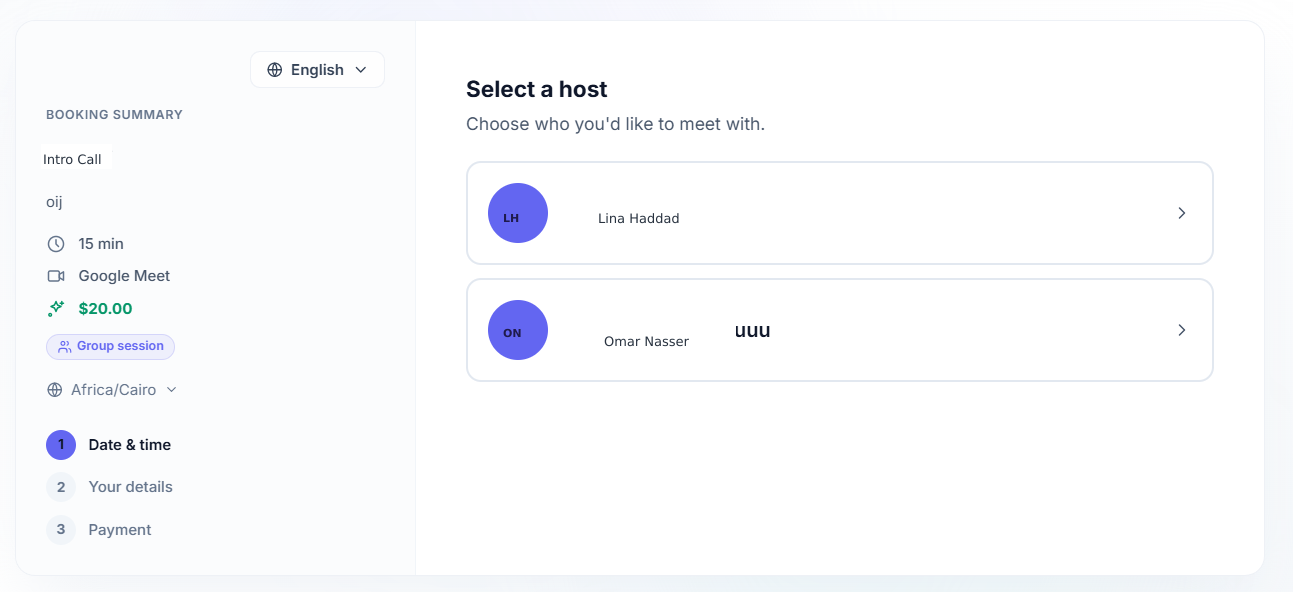
Offer the available hosts for a booking and keep the appointment summary visible while the customer decides.
Tell us how your business works today. We’ll show you where Midan fits.